
Household sharing
Invite your household with a code. Everyone sees the same list, updated the moment someone adds or checks off an item.
One shared list for your whole household, a pantry that tells you what's already at home, and a simple log of what you spend. No paper lists, no fridge checks, no “can you grab…” texts.
Coming soon on the App Store and Google Play.
7-day free trial, then $1.99 a month. Cancel anytime in your phone's settings.
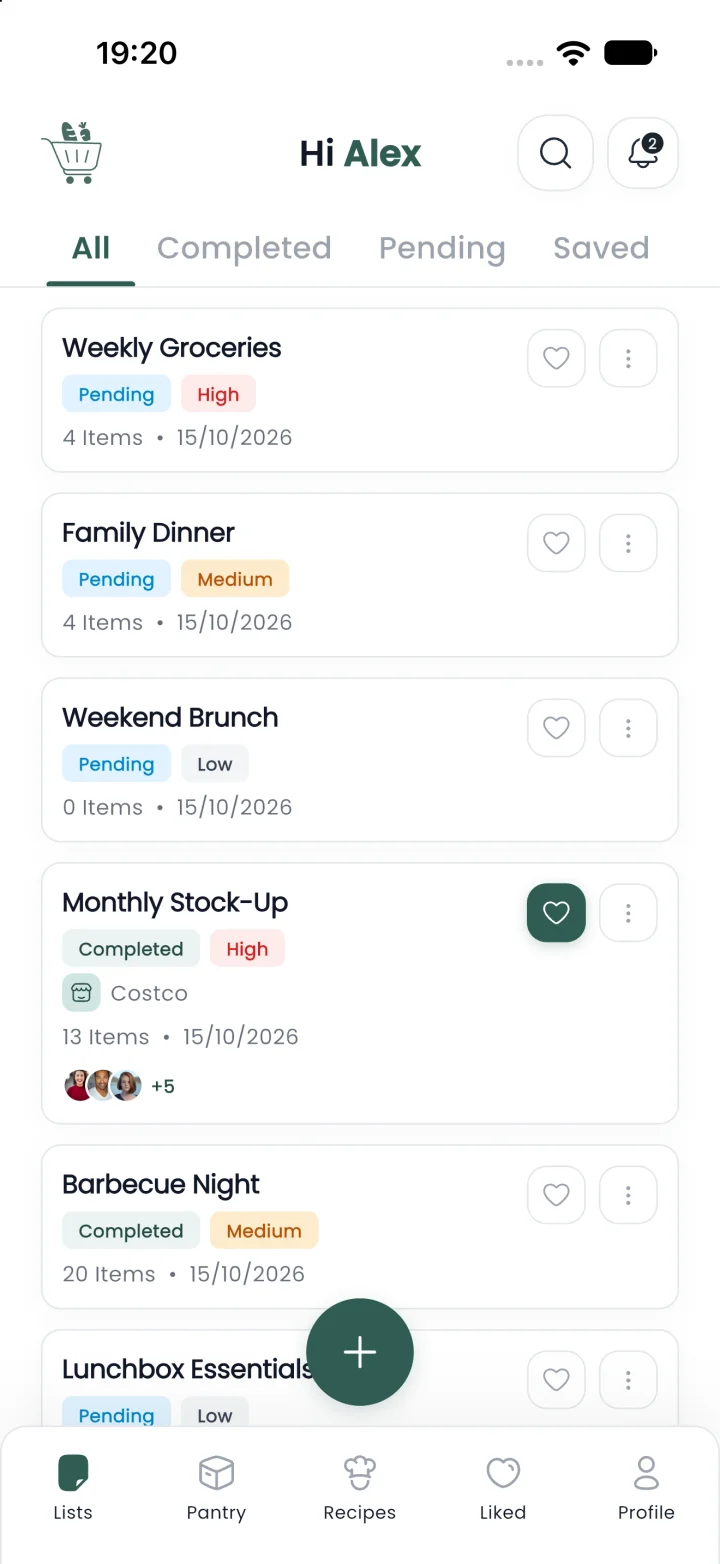
17 ready-made lists, 493+ products across 22 categories, and one shared list for everyone you live with.
Every scribble on the fridge note becomes something smarter in Cabas.
Planning, shopping, pantry and spending, all connected in one app.
Invite your household with a code. Everyone sees the same list, updated the moment someone adds or checks off an item.
Tag what matters and add the details, so the right item comes home.
Start from a list built for the moment, then edit anything.
Track what's in the fridge, freezer and pantry, with expiry dates and optional low-stock alerts.
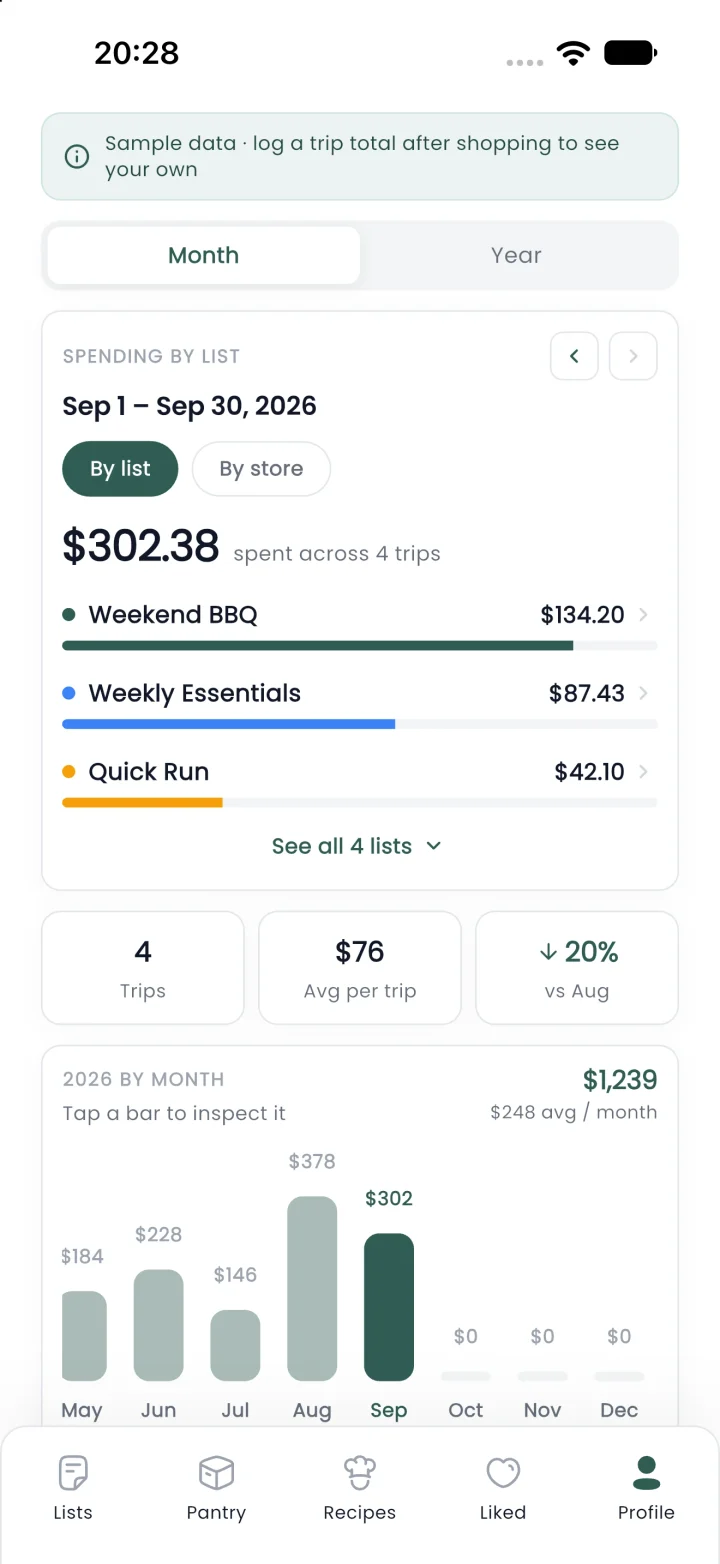
Log each trip's total and see your month and year, ranked by list or by store.
Import a recipe and shop it directly. What you already have is skipped.
Everyone adds to one shared list and sees changes as they happen. The activity feed shows who added what, so nothing gets bought twice.
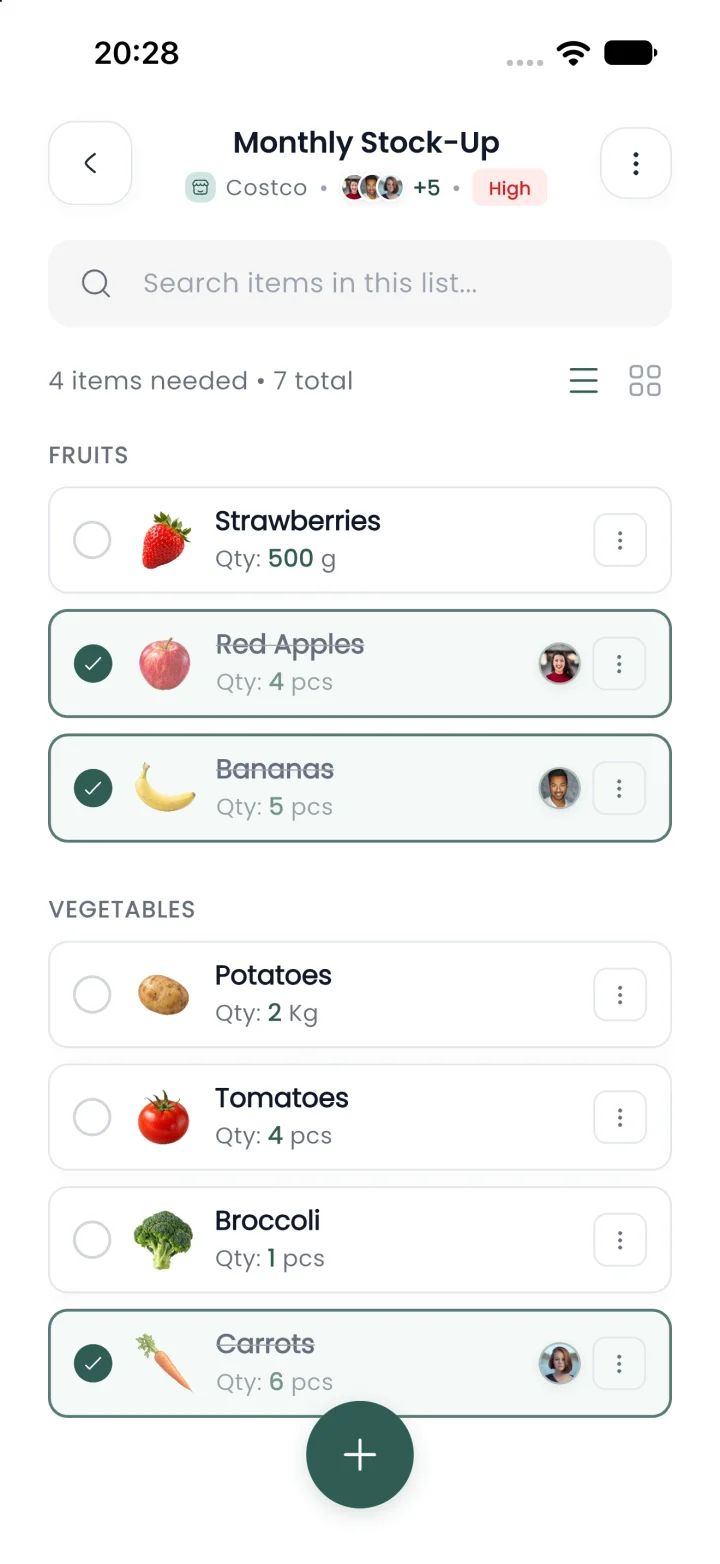
Know what you have before you shop. Cabas flags what's expiring, what's running low and what's gone, and sends what you need to a list in one tap.

After a trip, log what you spent. Cabas turns those totals into a clear view of your month and year.
Seventeen lists built around the moments you actually shop for. Pick one, make it yours, and go.
The routine, sorted before you leave the house.
Weeknights, weekends and everything in between.
Eating well and feeling good, made simple.
For the ones who depend on the shopping list.
Every list is fully editable. Add, remove or rename anything, then share it with your household.
Four steps, and your whole household is on the same list.
On iPhone or Android. You must be 16 or older.
Pick a ready-made list or build your own from 493+ products.
Share your 6-character code and choose everyone's role.
Check items off as you go, then log the trip's total if you like.
No tiers and no paywalls. Both plans include everything.
$1.99/ month
Billed monthly, plus applicable tax
$19.99/ year
About $1.67 a month, plus applicable tax
7-day free trial for new subscribers. Manage or cancel in your App Store or Google Play settings.
Different homes, different lists. One app that fits all of them.
One list the whole family adds to. Parents edit, kids can view.
No more guessing who’s buying what. You both see every change.
Shared basics without the sticky notes, and a clear record of who added what.
Meal Prep Sunday is ready to go, and your pantry shows what you have.
$1.99 a month or $19.99 a year. The yearly plan works out to about $1.67 a month, 16% less than paying monthly. Both plans include every feature, with no tiers or add-ons.
New subscribers get 7 days free. You won't be charged during the trial, and if you cancel at least 24 hours before it ends, you won't be charged at all. Otherwise, the plan you chose starts automatically.
Subscriptions are managed by Apple or Google. On iPhone, open Settings, tap your name, then Subscriptions. On Android, open Google Play, tap your profile, then Payments & subscriptions. You keep full access until the end of the period you've paid for.
Payments are processed by Apple and Google, so refund requests go through them and follow their policies. If something isn't working for you, write to us first and we'll help.
Prices are set in US dollars. Outside the US, the App Store and Google Play show the price in your local currency, including local taxes, before you confirm.
Build shopping lists with priorities and notes, share them with your household in real time, start from 17 ready-made lists, track what's in your fridge, freezer and pantry, shop recipes in one tap, and log what each trip cost.
Create a household and share its 6-character invite code. Everyone who joins sees the same lists, and changes appear the moment they're made. An activity feed shows who added, checked off or changed what.
Admins manage members and lists. Contributors add, edit and check off items, and can log trip totals. Viewers can see lists without changing them, which works well for kids.
Add what you have with a quantity, where it's stored (fridge, freezer, pantry or a spot of your own) and an optional expiry date. Cabas flags what's expiring soon, what has expired and what's running low, and sends anything you need to a list in one tap.
Import a recipe and shop its ingredients straight away. Anything already in your pantry is skipped, so you only buy what's missing.
Yes. A household can mix iPhone and Android, and everyone sees the same lists.
Most of the time lost on groceries goes to small things: checking the fridge before you leave, texting to ask what's needed, and going back for what you forgot. Cabas removes all three. Your pantry is in the app, your household adds to one shared list, and must-haves are tagged so they come home the first time.
About two minutes. Download the app, pick a ready-made list or start your own, invite your household, and you're ready to shop.
No. Save the lists you use most and reuse them week after week, or start from one of the 17 ready-made lists and edit as you go.
That's the idea. With priorities, notes and one list everyone adds to, the whole shop happens in one trip, without a second run for the thing you forgot.
No. We don't sell, license or share your personal data with advertisers or data brokers. Our Privacy Policy says so in plain words.
No. Spending totals come only from amounts you choose to type in after a trip. Logging is optional, and Cabas never sees your bank, cards or receipts.
What you put in: your lists, pantry items, household members and any trip totals you log, plus the account details needed to sign in.
Only the people in your household, and each person sees what their role allows.
Yes. Email us to access, correct or delete your data, wherever you live. We follow privacy laws such as GDPR in Europe and the CCPA in California, and respond within the time they require.
Worldwide. Cabas is available on the App Store and Google Play wherever they operate.
Anyone 16 or older.
Cabas is currently available in English.
Yes. Lists sync over the internet, so someone across town or away at college sees the same list as everyone at home.
Start your free trial, build your first list and invite your household in under two minutes.
iOS 15 or later
Coming soon

Android 8.0 or later
Coming soon
